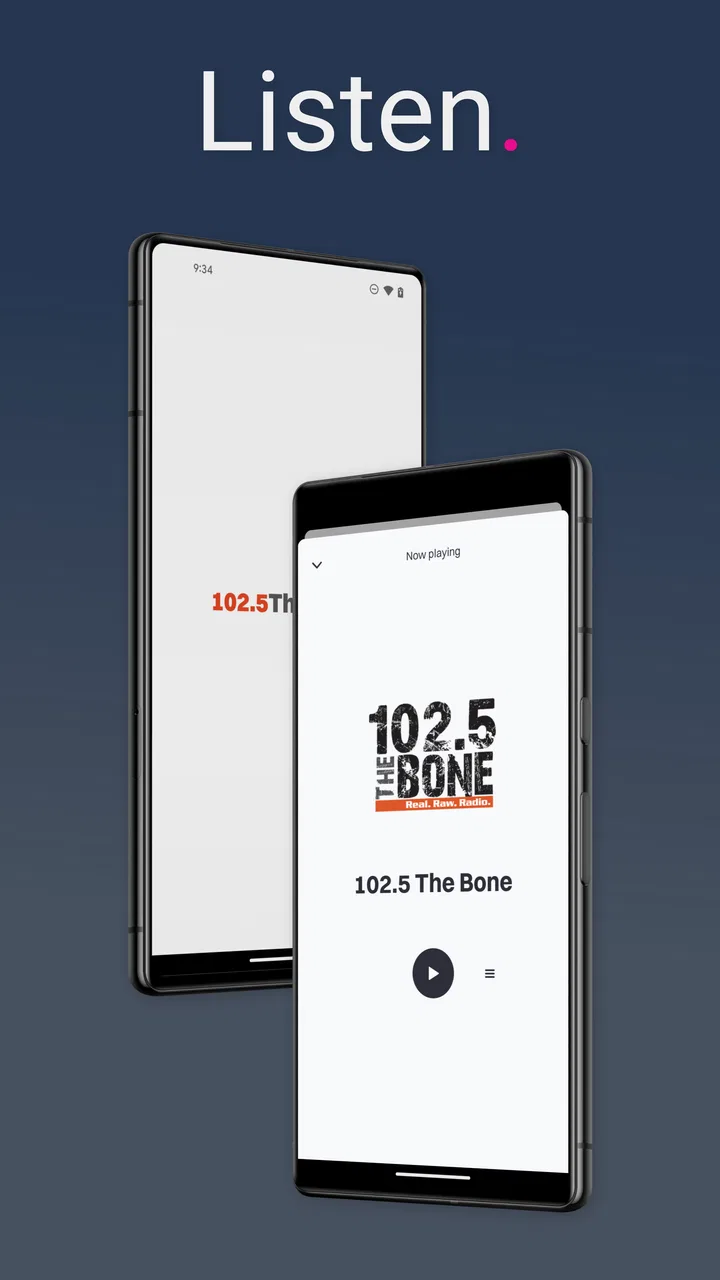
102.5 The Bone: Real Raw Radio
- 3.3
- Rating
- 50.00K
- Installs
- Free
- Price

 Analysis by App-foxy
I approached 102.5 The Bone: Real Raw Radio as a companion for listeners who want the station close at hand rather than as a general news reader. It belongs to the News & Magazines category, but its purpose is much narrower and more personal: keeping up with the 102.5 The Bone radio experience through an Android app. Cox Media Group Inc. develops it, and the store summary, “Real. Raw. Radio.”, gives a fair idea of its tone.
My main question was not simply whether it could play a station. I wanted to know how comfortably it worked in ordinary situations: while getting ready, during a commute, when my attention was divided, and when reading or touching a screen was inconvenient. That matters because a radio app is often used with one hand, from a distance, or in the background. An interface can be perfectly acceptable at a desk and awkward in a car or for someone who relies on larger text, screen reading, voice control, or reduced visual attention.
The app is free, carries a Teen content rating, and has passed the early-adopter stage with over fifty thousand installs. Its average rating is around 3.3 from roughly nineteen hundred ratings, alongside more than nine hundred written reviews. I read that overall score as a useful warning to keep expectations practical: this is a focused station app, not a polished replacement for every audio service on a phone.
You May Also Like

 Pandora - Music & Podcasts
Pandora’s Music Is Easy to Start, but Harder to Recover
Pandora’s strength is its low-effort path from a seed to a station. Its weak spot is how much confidence it asks you to place in connection, setup, and quiet recovery.

 8 Ball Pool
 Is Built on Rivalries, Rematches, and Routine
A close look at the rivalries, rematches, shared routines, and unanswered safety questions that turn a quick pool match into a persistent mobile community.

 Samsung Music
’s Quiet Strength Is Playing What You Already Own
Its reach comes less from spectacle than from dependable access to a personal library. That simplicity is both the app’s strongest retention engine and its ceiling.

 AccuWeather: Weather Radar
AccuWeather Review: A Quick, Clear Forecast for Everyday Decisions
For everyday plans, the best forecast is the one you can understand quickly. AccuWeather makes rain timing, radar, and local conditions easy to act on, with a few trade-offs.

 Hill Climb Racing
Why Hill Climb Racing Still Turns Crashes Into One More Run
A tiny car, a bumpy hill and one more upgrade: Hill Climb Racing keeps resurfacing because its simple chaos makes every near-miss feel personal.

 AliExpress - Shopping App
AliExpress Makes Global Shopping Feel Personal, but Shoppers Bear the Risk
AliExpress turns a global marketplace into a pocket-sized discovery engine. Its reach is useful, its shopping loop compelling, and its trade-offs easy to miss.
More From Our News Desk
View All News


How clearly the app presents the station
I focus here on whether the station’s identity is easy to recognize and whether the app’s dedicated purpose helps a listener get oriented without sorting through unrelated audio choices. That distinction matters most when a familiar station is the goal, not discovery. From there, the next section looks at how that focused presentation holds up when listening moves from a quiet room into everyday routines.
Readability and navigation in everyday use
The strongest part of the concept is its directness. Someone looking specifically for 102.5 The Bone does not need to search through a large catalog of unrelated stations. The short description identifies the station immediately, and that focused identity can make the first decision easier than it would be in a broad radio directory.
That simplicity is valuable for people who find crowded interfaces tiring. A general radio platform may place recommendations, podcasts, genres, advertising, account prompts, and several playback choices around the main control. A dedicated station app has a smaller job. When I am only trying to start the broadcast, fewer competing destinations are preferable.
At the same time, a focused app still needs clear visual hierarchy. The most important elements should be distinguishable from secondary content, especially when the phone is held at arm’s length or used in uneven lighting. I would judge the experience by how quickly a listener can identify the station, locate the main playback action, and tell whether audio is active without studying every label.
For readers with low vision, the practical issue is not just whether text exists. Contrast, font size, spacing, and the size of touch targets all affect whether the interface feels calm or demanding. I would not treat the app as automatically accessible simply because it is uncluttered. A sparse screen can still create problems if important controls are small, lightly styled, or dependent on color alone.
Android users can often improve the surrounding experience with system text enlargement, display scaling, magnification, or a screen reader. Those tools may help, but they can also change the layout. A control that looks comfortable at the default scale may become crowded when the display is enlarged. My advice is to test the app with your preferred Android settings before relying on it for daily listening.
Why a dedicated station app can be easier than the usual alternatives
Compared with a web page, a dedicated app can be more convenient because it avoids opening a browser tab and finding the station again. Compared with a large radio aggregator, it can reduce choice overload. Compared with a music subscription service, it serves a different purpose: the appeal is the station’s live identity and programming rather than selecting individual tracks.
That trade-off is important. If you want a broad collection of stations, on-demand music, podcasts, or a single place for several broadcasters, a larger audio platform may suit you better. Installing a separate app for one station only makes sense when that station is part of your routine. For a regular listener, the focused design is a benefit; for an occasional visitor, it may feel unnecessary.
I also see a useful workflow for people who have difficulty navigating quickly. Instead of opening a general radio service and searching by station name each time, keep this app in a predictable place on the home screen. A consistent launch path reduces memory and visual-search demands. This is a small adjustment, but it matters for users who tire easily when interfaces change or present too many options.
Motor and sensory considerations
Touch interaction is easiest when the listener is stationary. Tapping a large, obvious playback control with one finger is very different from repeatedly hitting small icons while walking, carrying something, or wearing gloves. Anyone with tremors, limited dexterity, joint pain, or one-handed use should pay attention to whether the essential action can be completed with a single deliberate tap rather than a sequence of precise gestures.
I would avoid making the app part of a complicated driving routine. Even if starting the broadcast is simple, looking down to troubleshoot a stalled stream, find a control, or respond to an unexpected prompt is not a good use of attention on the road. Set it up before moving, and use the phone’s normal hands-free or vehicle controls where they work with the device.
For listeners who are sensitive to sudden sound, starting any live audio stream deserves caution. I recommend beginning at a low volume, especially when using headphones or connecting to a car system. Live radio is less predictable than a carefully arranged playlist, so a comfortable listening level is safer than starting loudly and adjusting afterward.
People who are deaf or hard of hearing may not receive the main value of a radio app if it is primarily an audio channel. Visual station branding or readable text, if present in the interface, should not be confused with a transcript or captioned version of the broadcast. I would choose a text-based news source or a captioned media service when understanding spoken content is essential.
Likewise, listeners with auditory processing difficulties may find live radio harder to follow than replayable or captioned material. A station app can be useful for atmosphere, familiar voices, or casual listening, but it is not automatically the best format for information that must be retained accurately. In that situation, an on-demand source with pause, rewind, and text support may be the more inclusive choice.
Access across real situations and the barriers that remain
A clear station identity is only useful if the app fits the circumstances in which someone wants to listen. I consider the practical difference between a planned session and a rushed or hands-busy moment, including when a listener should choose a different format instead. The following section weighs those everyday gains against the access barriers that can still shape the experience.
Situational access: when the app fits naturally
The most convincing use case is a predictable background-listening routine. I can imagine opening it while making breakfast, placing the phone on a counter, and letting the station provide company without requiring constant interaction. That works well for people who prefer spoken audio to a silent room but do not want to build a playlist or make repeated choices.
Another realistic scenario is a short household task. If I am sorting laundry or tidying a room, a dedicated station app can be less distracting than browsing a large service. The phone stays in one place, the audio does the work, and I only need to return to the screen if playback stops or I want to change the listening setup.
It may also suit listeners who have a strong connection to the station’s style and want a familiar starting point. Familiarity itself is an accessibility advantage: knowing what an app is for reduces the mental effort of learning it. Someone who already recognizes 102.5 The Bone is likely to understand the app’s purpose faster than a new user encountering an unfamiliar audio catalog.
However, the same focused design is less useful when circumstances change. Travelers who need local information from several areas, listeners who alternate between many stations, and users who want downloads or on-demand control may be better served elsewhere. A station-specific tool is not a universal audio solution, and forcing it into that role creates frustration.
Connectivity is another practical consideration for live listening. A broadcast stream depends on a working connection, so it is not the right choice when I know I will be offline or in a place with unreliable service. I would prepare a downloaded podcast, music collection, or other offline option as a backup rather than assuming a live station will always be available.
Remaining barriers before making it a daily tool
The app’s age is worth keeping in mind. It was released on May 27, 2014, and the current version is 12.0.91, with Android 8.0 or later required. That long history can be reassuring because the product has had time to evolve, but it also means users should not assume that every modern accessibility expectation is built into the experience.
Support for Android 8.0 and newer covers a wide range of devices, including older phones that may have slower performance or smaller screens. On such hardware, delays, battery pressure, or a less responsive interface can turn a simple listening task into repeated tapping. I would test it on the actual phone and audio setup I planned to use, not only on a newer device.
The average rating of around 3.3 suggests that the experience is mixed for a meaningful portion of its audience. Ratings alone do not explain every problem, but they do support a cautious recommendation. I would install it because the station matters to me, then keep an alternative ready rather than treating it as the only way to listen.
Advertising or promotional material can also affect concentration in media apps, even when the main purpose is audio. I would be especially mindful of this for users with attention-related needs, migraine triggers, or a preference for highly predictable screens. If visual movement or changing content makes the app uncomfortable, listening through another supported route may be less tiring.
Voice control can reduce the need for precise tapping, but its usefulness depends on how Android and the device recognize the app and its controls. I would not promise that every playback action is available through voice commands. The sensible approach is to try the phone’s accessibility tools with the app in a safe, stationary setting and keep the workflow simple.
For screen-reader users, labels and focus order matter more than visual appearance. A control may look obvious yet be difficult to identify when spoken aloud if its label is vague or its position changes. I would recommend a brief trial with TalkBack before committing to the app, particularly if starting or stopping audio must be possible without sight.
Who should use it, and who should skip it
I would recommend this app to an existing 102.5 The Bone listener who wants a direct mobile route to the station and is comfortable with live audio. It is also a reasonable fit for casual background listening at home, provided the phone and connection behave reliably. The free price lowers the cost of trying it, which makes that test straightforward.
I would be more hesitant to recommend it to someone who needs transcripts, captions, offline playback, detailed audio controls, or a large selection of stations. It is also not my first choice for a person who has difficulty with small touch targets, cannot safely look at a phone during use, or needs every spoken program to be paused and revisited.
For people with limited data, I would treat live listening as something to monitor rather than an invisible background habit. A long session can be a poor match for a restricted plan, and the app’s value depends on staying connected. Those users may prefer downloaded content for most listening and reserve the station app for Wi-Fi or carefully chosen moments.
Families should also remember the Teen rating. That does not tell me how every broadcast segment will feel to every household, but it is a reason for parents and guardians to decide whether the station’s style suits younger listeners. The app is not simply a neutral utility; it carries the character of the station it represents.
My inclusive verdict
After looking at the app through readability, motor demands, sensory needs, and real-world context, I see a useful but specialized tool. Its best quality is focus: people who already want this station can reach it without entering a huge audio marketplace. Its main weakness is that a live, station-centered experience naturally offers fewer ways to adapt the content for different abilities and listening conditions.
The key trade-off is convenience for dedicated listeners versus flexibility for everyone else. If your priority is opening a familiar station and listening while your hands are busy, this free app is worth trying. If your priority is captions, transcripts, offline access, broad discovery, or precise control over spoken material, a general audio service or text-based alternative will probably serve you better.
I would install it on a supported Android phone, enlarge the display if needed, place it somewhere easy to reach, and test playback before using it during travel or other demanding tasks. I would also keep a second listening option available for weak connections or moments when live audio is not accessible. That practical backup turns the app from a single point of failure into one part of a more comfortable routine.
Overall, my recommendation is positive but conditional. For the right listener, 102.5 The Bone: Real Raw Radio is a straightforward way to keep the station nearby. For users who need strong built-in support across visual, hearing, motor, or cognitive needs, I would not assume the dedicated app is enough without a personal accessibility trial.
FAQs for 102.5 The Bone: Real Raw Radio
01What is 102.5 The Bone: Real Raw Radio?
102.5 The Bone: Real Raw Radio is the official mobile app for the Tampa Bay radio station known for talk radio, comedy, sports discussion, interviews, and uncensored entertainment. After installing it, users can generally listen to the station’s live stream, follow show information, and access station-related content from a phone or tablet instead of relying on a traditional FM radio.
02Can I listen to 102.5 The Bone live through the app?
Yes, the main purpose of the app is to provide access to the station’s live broadcast over an internet connection. During testing, users should expect streaming performance to depend on Wi-Fi or mobile data quality, as well as station availability and regional restrictions. If playback stops, checking the connection, restarting the stream, or updating the app may help resolve the issue.
03Is 102.5 The Bone: Real Raw Radio free to download and use?
The app is generally available as a free download, although your mobile carrier may charge for the data used while streaming live radio, podcasts, or other audio content. Some versions may also include advertising or links to promotional material. Before downloading, it is worth checking the current listing in the Google Play Store or Apple App Store for platform-specific details.
04What kind of content can I expect from 102.5 The Bone?
The station is aimed at adult listeners who enjoy outspoken talk radio, humor, local commentary, interviews, sports-related conversations, and other personality-driven programming. Because the station promotes a raw and uncensored style, some broadcasts may contain strong language, mature themes, controversial opinions, or content unsuitable for children. Listener discretion is recommended, particularly when using the app around family members.
05Does the app work on both Android and iPhone, and does it require an account?
Availability can vary by region and by the station’s current app version, but 102.5 The Bone: Real Raw Radio is intended for mobile listeners on supported Android and iOS devices. Basic listening may not require creating an account, although optional registration could be used for contests, notifications, or personalized features. Review the app permissions and store requirements before installation.
Pros
- Live access to 102.5 The Bone’s uncensored talk and rock programming.
- Easy way to catch shows and segments when you are away from a radio.
- Station-focused design makes finding the live stream straightforward.
- Useful for listeners who enjoy alternative comedy and opinion-driven content.
- Streaming audio can provide entertainment during commutes or daily tasks.
Cons
- Content may include strong language and topics unsuitable for younger listeners.
- Playback quality depends heavily on your mobile data or Wi-Fi connection.
- Live radio offers limited control compared with podcasts or on-demand apps.
- Background streaming can consume battery and mobile data over longer sessions.
- Availability and programming may be less useful for listeners outside the station’s region.

102.5 The Bone: Real Raw Radio
Gallery